

Quick Summary
To tell if a train is DCC ready, check the model number, box and manufacturer documentation first, then look for a decoder socket or blanking plug. DCC ready means a decoder socket is fitted but no decoder is installed, so the loco will not respond to DCC commands until you add one.
- DCC fitted means a decoder is already installed and the loco runs on DCC straight away.
- Common decoder sockets are 8-pin, 21-pin, 6-pin and Next18, and they are not interchangeable.
- A blanking plug sitting in a socket is your best visual clue of a DCC ready loco.
- Never put an unknown locomotive on powered DCC track as a first test; test on DC first.
- Bent pins on a 21-pin connector are a common pre-owned fault but are often fixable.
Table of Contents
- What DCC Ready Actually Means on a Model Train
- DCC Ready vs DCC Fitted: What's the Difference?
- Common DCC Decoder Socket Types
- How to Check If a Locomotive Is DCC Ready
- Running a DC Locomotive on DCC Track: Why It's Risky
- Pre-Owned Model Train Buying Checklist
- Conclusion
- Frequently Asked Questions
What DCC Ready Actually Means on a Model Train
DCC ready is a manufacturer's term for a locomotive that has a decoder socket and the wiring needed to accept a digital decoder, but no decoder fitted. The motor still runs on analogue DC until you add one.
That last point trips up a lot of buyers. A DCC ready loco will not respond to DCC commands out of the box. It is a shell with the plumbing in place.
Here at HobbyTrax, we get asked this constantly by people browsing our pre-owned collection. The confusion is fair. Sellers use the term loosely, and a socket on a circuit board is not proof of anything by itself. Model number and documentation are what settle it, not a glance at the chassis.
Two terms get mixed up more than any others. DCC ready means socket only. DCC equipped means a decoder is already inside. We will come back to that difference shortly.
DCC Ready vs DCC Fitted: What's the Difference?
The difference is simple: a DCC ready locomotive needs a decoder added, while a DCC fitted locomotive already has one installed and runs on DCC straight away.
A DCC fitted model will usually run on analogue DC too, though some decoders limit or disable that. Check the decoder documentation before you assume.
DCC sound is a third step again. These models carry a sound decoder and a speaker, so they produce engine and whistle effects as well as movement.
For a beginner, the practical question is cost and effort:
- DCC ready: cheaper to buy, then you choose and fit a decoder
- DCC fitted: ready to run on DCC, but you inherit whatever decoder is inside
- DCC sound: the most expensive, and the hardest to fault-find if something is wrong
If you are new to decoders, our free helpsheet on understanding DCC decoder types explains the main socket families before you commit to a purchase.

Type |
Decoder Fitted |
Runs on DC |
Runs on DCC |
Sound |
|---|---|---|---|---|
DC |
No |
Yes |
No |
No |
DCC ready |
No (socket only) |
Yes |
No, until decoder added |
No |
DCC fitted |
Yes |
Usually, check decoder |
Yes |
No |
DCC sound |
Yes, sound decoder |
Usually, check decoder |
Yes |
Yes |
Common DCC Decoder Socket Types
Common DCC decoder sockets include 8-pin, 21-pin, 6-pin and Next18, and each one takes a different decoder. They are not interchangeable, so the socket in your loco decides which decoder you can buy.
A quick guide to what you will meet:
- 8-pin: an older standard, often found on second-hand locomotives
- 21-pin: common in recent releases, with more functions available
- 6-pin: compact, used in small locomotives where space is tight
- Next18: a smaller modern standard, increasingly common in newer models
Some older locomotives have no socket at all. These need a decoder hard-wired in, and the motor terminals must be isolated from the track pickups first. That is a job for someone comfortable with a soldering iron. Our hardwiring DCC decoders helpsheet walks through the process for older non-DCC ready locos.

Never assume a decoder will fit because the plug looks close. Match the socket type exactly, then confirm the decoder's current rating suits the motor.
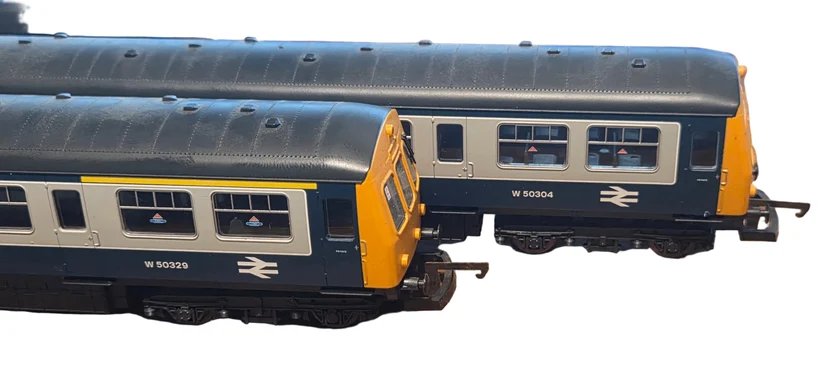
Lima L149973 Class 101 DMU in BR Blue/Grey – 2 Car Unit
How to Check If a Locomotive Is DCC Ready
To check if a train is DCC ready, start with the paperwork, not the locomotive. The model number, box and manufacturer documentation are the most reliable evidence, and they cost you nothing to check.
Work through these in order:
- Read the listing. Look for "DCC ready", "DCC fitted" or a socket type in the description.
- Check the model number. Search the manufacturer's documentation for that exact number.
- Inspect the packaging. Look for DCC symbols and labels on the box or sleeve.
- Look for a socket or blanking plug. A blanking plug in a socket usually means DCC ready with no decoder.
- Ask about DCC response. If the seller says it responds to DCC commands, ask which decoder is fitted.
- Confirm lights and functions. Working lights and sound tell you a decoder is present, not just a socket.
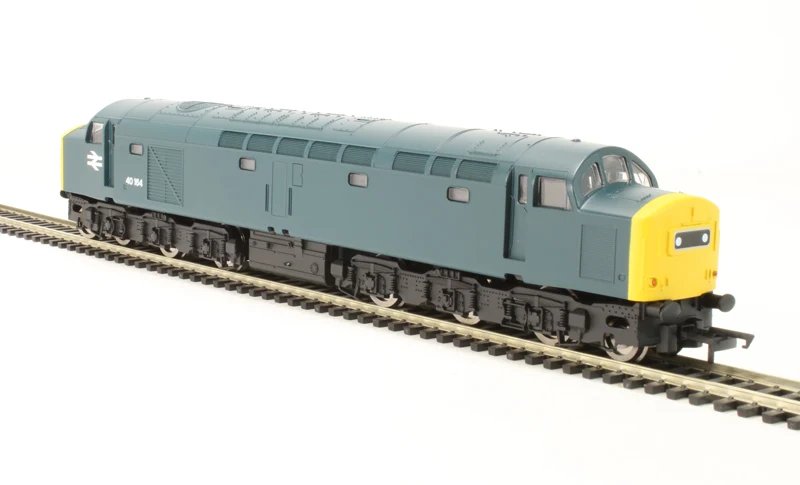
Hornby R3392TTS Class 40 40164 in BR blue – TTS sound fitted
Running a DC Locomotive on DCC Track: Why It's Risky
Running a DC locomotive on DCC track is risky because the track carries full DCC voltage at all times, and an analogue motor was never designed to sit under that load. Some decoders offer a "run a DC loco" address, but it is a workaround, not a safe test.
The real danger is using it to identify an unknown locomotive. If the model is DCC fitted and something is wrong inside, powered DCC track can turn a small fault into a dead decoder. If it is DC, you are relying on a feature that behaves differently across systems.
A DCC programming-track test is a definitive check, but an unknown locomotive should not go on powered DCC track as a first test.
Safer options, in order of preference:
- Test on a plain DC track first and watch how the motor behaves
- Use a decoder tester for loose decoders before they go anywhere near a locomotive
- Have an experienced technician check an unknown model
Our DCC decoder tester checks 6-pin, 8-pin and 21-pin decoders, plus hardwired ones, with LED indicators for functions, lights, direction and track power. It works with any DCC controller. That lets you confirm a decoder is healthy before it goes into a loco.

Pre-Owned Model Train Buying Checklist
Use this checklist before you pay for any second-hand locomotive. It covers the things that quietly cost money later.
- Condition: body, paint and handrails free of cracks or repairs
- Wheel wear: treads flat or shiny, not grooved or pitted
- Pickups: clean, springy and making contact on every axle
- Gears: no cracking, slipping or grinding when pushed gently
- Motor: runs smoothly at low speed on DC, no burning smell
- Lights: all functions work, or you know which ones don't
- Packaging: box, sleeve and paperwork present where possible
- Testing: seller can show it running, or you can test it yourself
- Control type: DC, DCC ready or DCC fitted, confirmed in writing
- Socket type: recorded, so you buy the right decoder
Availability on pre-owned stock changes quickly, and every item is individual. If a listing does not state the control type, ask us before ordering and we will confirm what we can from the model and its documentation.
Bent pins on a 21-pin connector are a common pre-owned fault. They are often fixable, and our helpsheet on bent 21-pin pins covers the repair.
Conclusion
Buying pre-owned is one of the best ways into this hobby, and a loco with a decoder socket gives you a clear path to DCC later. Just confirm the control type first, then plan the decoder around the socket you actually have.
If you are ready to add digital control, browse our DCC systems and decoders, or ask us to confirm compatibility before you order. You can also explore the pre-owned range and our tools and maintenance supplies for the bench work.
Frequently Asked Questions
What does DCC ready mean on a model train?
DCC ready means the locomotive has a decoder socket installed at the factory, but no decoder is fitted. You can run it on analogue DC track as it comes, usually with a blanking plug in place. To use it on DCC, you remove the blanking plug and fit a compatible decoder. The socket type varies between models, so check the manufacturer documentation or the listing before buying a decoder.
Can I run a DCC-ready locomotive on a DCC controller?
Not without fitting a decoder first. A DCC-ready locomotive still has a blanking plug in the socket, which keeps it set up for analogue DC operation. If you place it on powered DCC track without a decoder, you risk damaging the motor or electronics. Fit the correct decoder for the socket type, then test on a programming track or with a decoder tester before running it on the main layout.
How can I test a pre-owned locomotive safely before buying?
Ask the seller to demonstrate it on DC track first, checking that the motor runs smoothly in both directions and that lights work if fitted. If you cannot see it running, use a DCC decoder tester for decoders, or ask an experienced technician to inspect it. Never place an unknown locomotive on powered DCC track as a first test. Also check wheel wear, pickups, gears and the condition of the packaging before committing.
A note from HobbyTrax: This article reflects our practical modelling experience and information available at the time of writing. Products, specifications and technology can change, so check current manufacturer instructions and compatibility before starting a project.
