

Table of Contents
- What Train Layout Software Actually Does (And What It Doesn't)
- How to Judge Any Model Railway Track Planning Software
- Options Worth Looking At, by Use Case
- Free Model Railway Layout Software: What You Get and What You Don't
- Model Railway Track Plan Design: From Idea to Buildable Plan
- Track Planning Software vs DCC Control Software
- Conclusion: Measure First, Then Try Before You Buy
- Frequently Asked Questions
Last Updated: 17 October 2026
What Train Layout Software Actually Does (And What It Doesn't)
Train layout software is a planning tool that lets you draw a track plan to scale, test whether curves, clearances and gradients will physically work, and print or export a plan you can build from. It does not build the layout, and it does not guarantee that a design which looks fine on screen will fit your baseboard once real track, roadbed and scenery go down.
That distinction matters more than most beginners expect. A plan that works on screen can still fail on the bench because of a tight radius, a clearance you forgot to check, or a gradient your locomotives cannot climb.
This guide covers what the main track planning programs do well, which one suits your computer and budget, and how to turn a screen plan into something buildable.
How to Judge Any Model Railway Track Planning Software
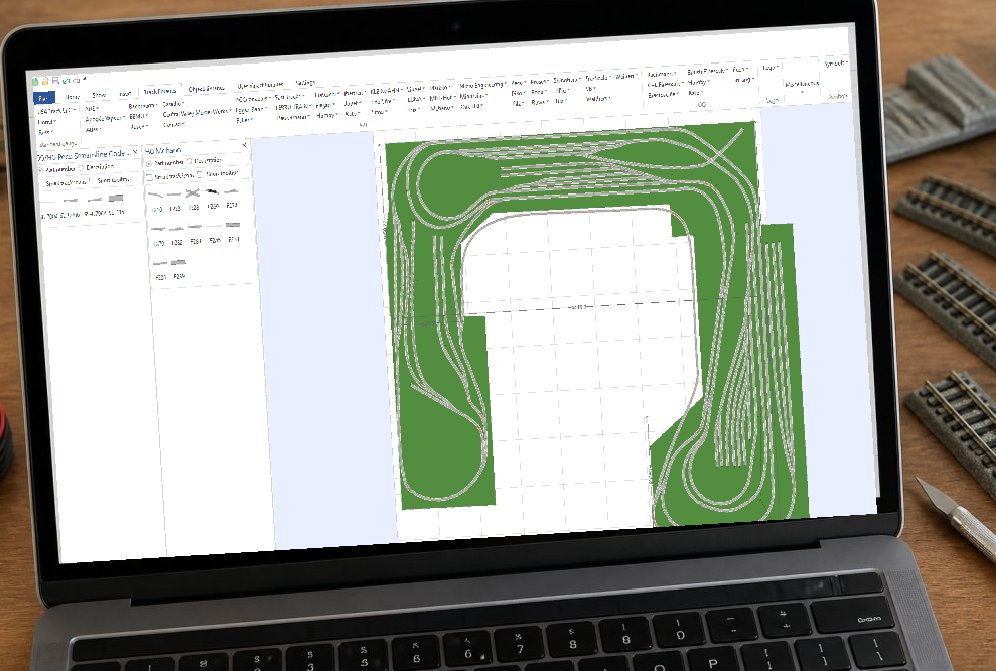
Judge model railway track planning software on eight things: platform, ease of use, track libraries, flex-track handling, gradient support, 2D and 3D views, printing and export, and cost. Everything else is decoration.
The Criteria That Actually Matter
- Platform: Windows-only rules out Mac users entirely. Check before you download.
- Track libraries: Does it include your track system, in your scale? A program without your brand's geometry is useless.
- Flex-track planning: Can you draw smooth curves and easements, or are you stuck with fixed sections?
- Gradients: Can it show a rising grade and warn you when it is too steep?
- Views: 2D for accuracy, 3D for judging how it will look.
- Printing and export: Full-size printouts let you lay track directly on the plan.
- Cost: Free versions often limit track count or disable printing.
A common mistake is choosing on looks. A plain interface with accurate track libraries beats a polished one that cannot draw your turnouts.
Options Worth Looking At, by Use Case
No single program wins for everyone. The right pick depends on your operating system, your track system and how complex your layout will be.
Software |
Platform |
Ease of Use |
Free Version |
Best For |
|---|---|---|---|---|
AnyRail |
Windows |
Very easy |
Limited track count |
Beginners wanting quick results |
SCARM |
Windows |
Easy |
Yes, with limits |
Hobbyists on a budget |
XTrackCAD |
Windows, Mac, Linux |
Steeper |
Fully free |
Tinkerers and open-source fans |
RailModeller Pro |
Mac only |
Easy |
Trial available |
Mac users |
3rd PlanIt |
Windows |
Steeper |
No |
Complex multi-level designs |
AnyRail Track Planning Software: The Straightforward All-Rounder
AnyRail track planning software is the easiest of the group to learn. You drag track pieces from a library, and the program snaps them together, which suits anyone who wants a plan finished this weekend rather than next month.
Its track library is the strongest selling point, covering most major systems across common scales. Flex track is straightforward to draw, and gradients are simple to set.
The catch is the free version's track limit. It is generous enough to test the program properly, but a full layout needs the paid licence. Prices are set by the developer in its own currency, so check the official site for the current figure.
SCARM: Free to Start, Windows Only
SCARM gives you a genuinely usable free version, which is why so many beginners start here. You can draw a full layout and view it in 3D without paying anything.
Windows only, though. There is no Mac version, and no sign of one.
The 3D view is the standout feature for beginners, since it shows how a plan will look once scenery is added. Where it falls short is very large or multi-level designs, where the interface starts to feel cramped.
XTrackCAD: Open Source and Deeply Configurable
XTrackCAD is free, open source and runs on Windows, Mac and Linux. It is the only program here that covers all three platforms without a paid tier.
That freedom comes with a learning curve. The interface assumes you know what you want, and new users often need the documentation open in another window for the first session.
For anyone comfortable with technical software, it rewards the effort. Parameter files let you add track systems the program does not ship with, which matters if you model something unusual.
RailModeller Pro: The Mac-Native Choice
Mac users have fewer options, and RailModeller Pro is the strongest of them. It is built for macOS rather than ported, so it behaves the way Mac software should.
Track libraries cover the common scales and systems, flex track is well handled, and printing is clean. A trial lets you test it before committing.
The limitation is obvious: it is Mac only. If you also plan on a Windows laptop, you will need a second program.
3rd PlanIt: For Complex, Multi-Level Designs
3rd PlanIt targets modellers building something ambitious: helix curves, multiple levels, tight clearances and long runs. It handles these better than the simpler programs.
It is Windows only, has no free version, and takes time to learn. The developer prices it in its own currency, so confirm the current figure on the official site.
For a small shunting layout, it is overkill. For a multi-level design, it is worth the effort.
Free Model Railway Layout Software: What You Get and What You Don't
Free model railway layout software is genuinely useful, but every free tier has a limit. Knowing which limit you will hit first saves a lot of frustration.
What free versions typically give you:
- Full drawing tools for a small to medium layout
- Access to the main track libraries
- A 2D view, and sometimes 3D
- Enough room to test whether the program suits you
What they usually hold back:
- Printing at full size, which is how most people transfer a plan to the baseboard
- Track counts above a set limit
- Export to other formats
- Advanced features such as gradients or multi-level support
Our advice is simple: start free, draw the layout you actually want, and see where you hit the wall. If the wall arrives early, the paid version is probably worth it. If it never arrives, you have saved the money.
Model Railway Track Plan Design: From Idea to Buildable Plan
Model railway track plan design starts with a tape measure, not a mouse. Measure the space, decide the scale, then open the software.
Work through it in this order:
- Measure the available space in millimetres, including door swings and access points.
- Choose your scale, then confirm the minimum curve radius that scale and your longest locomotive can handle.
- Select the correct track library for your track system so the geometry matches what you will actually buy.
- Draw the plan, checking clearances at every pinch point, including alongside platforms and through tunnels.
- Set gradients and keep them gentle. A grade that looks fine in 3D can stall a locomotive in practice.
- Check access. If you cannot reach a derailment, redesign it now.
- Print full size and lay the plan on the baseboard before buying track.
Here is the part most guides skip: software cannot tell you whether you can reach the back corner, whether the room is too humid for the baseboard, or whether your favourite locomotive will haul a train up that grade. Those are physical questions, and only a test on the bench answers them.
Track Planning Software vs DCC Control Software
Track planning software and DCC control software do different jobs, and confusing them leads to the wrong purchase. Planning software draws the layout. DCC control software runs trains on it once it is built.
Planning programs handle geometry: curves, turnouts, gradients, clearances and printouts. They are used before anything is built.
DCC control software, by contrast, manages decoders, addresses, speed steps and accessory commands on a working layout. Some systems include a track diagram view, which looks similar to a planning screen but does something completely different.
You may end up using both. Just do not expect a planning program to run your trains, or a control system to design your track.
If you are still deciding on control, our guide to DCC systems for Australian layouts covers the basics.
Conclusion: Measure First, Then Try Before You Buy
The best train layout software is the one that matches your computer, your track system and the complexity of the layout you actually intend to build. For most beginners, AnyRail is the easiest starting point. Mac users should look at RailModeller Pro. Anyone who wants free and cross-platform should try XTrackCAD.
Before you commit, measure your space properly and test a free version or trial with your real track library loaded. If the geometry closes on screen and the printout matches your baseboard, you have a plan worth building.
Once the plan is settled, we stock track, turnouts, wiring and DCC components to help you build it. If you are unsure whether a component suits your setup, ask us before ordering and we will point you in the right direction.
A note from HobbyTrax: This article reflects our practical modelling experience and information available at the time of writing. Products, specifications and technology can change, so check current manufacturer instructions and compatibility before starting a project.
Frequently Asked Questions
What is the best software for planning a model railway layout?
There is no single best train layout software, because the right pick depends on your computer, track system and budget. AnyRail is a common starting point for beginners thanks to its straightforward interface and large track library. Mac users often prefer RailModeller Pro, while XTrackCAD suits those who want open-source flexibility and 3rd PlanIt handles complex multi-level designs. Try a free version or trial first, and check that your track brand is supported before buying a licence.
Is there free model railway layout software I can try?
Yes. SCARM offers a free version with limits on the number of track pieces you can place, and XTrackCAD is open source and free to download. AnyRail and RailModeller Pro offer free trial versions that cap the number of track elements so you can test the interface before committing. Free versions are a sensible way to check whether a program suits how you think about model railway track plan design before paying for a full licence.
Can track planning software design layouts with flex track and gradients?
Most full versions handle both. Flex track is usually drawn as a smooth curve or spline rather than fixed pieces, and gradient tools let you set a rise over a run, often shown as a percentage. Check the program's documentation for how it calculates gradient and whether it flags clearances at crossings. Software will draw the plan, but it cannot confirm your baseboard framing, access hatches or clearance under a bridge, so verify those against your own measurements.
What is the difference between track planning software and DCC control software?
Track planning software draws your layout on screen so you can check curve radii, clearances and gradients before cutting timber or laying track. DCC control software runs trains on a built layout, managing decoders, addresses and throttles through a command station. They solve different problems and are not interchangeable. Some programs offer both functions, but for most modellers it is clearer to pick a planning tool first and look at control software once the layout is actually running.